Search News
TerraVista Metrics (TVM)Industry Portal
TerraVista Metrics (TVM)Hot Articles
TerraVista Metrics (TVM)- Choosing an Amusement Equipment Testing Agency: Accreditation and ScopeChoosing an amusement equipment testing agency? Learn how to verify accreditation, assess technical scope, and compare reports before you commit.
- Global Temporary Buildings Market Forecast to Reach $5.88 Billion by 2032Global temporary buildings market is forecast to reach $5.88 billion by 2032. Explore the modular, reusable and rapid-assembly trends driving growth.
- Product Benchmarking: How to Compare Material Performance and DurabilityMaster product benchmarking and material comparison with practical tips for evaluating test data, durability and lifecycle costs. Make confident purchasing decisions.
Popular Tags
TerraVista Metrics (TVM)Industry NewsChoosing a Hotel Kiosk Display: Brightness, Touch Accuracy, and Durability
auth.Lydia Vancini (Smart Hospitality IoT Consultant)Time
Nov 07, 2026Click Count
Choosing a Hotel Kiosk Display: Brightness, Touch Accuracy, and Durability
A hotel kiosk display may look impressive in a showroom yet struggle with lobby glare, inaccurate touch responses, or repeated cleaning. For procurement teams, these weaknesses can mean frustrated guests, maintenance costs, and premature replacement. Choosing the right display requires more than comparing screen size and price: brightness must suit actual lighting conditions, touch accuracy must support reliable interactions, and durability must withstand daily public use.
Drawing on TerraVista Metrics’ data-driven approach to hospitality technology, this guide explains which specifications, test evidence, and supplier questions matter most. The objective is not to buy the display with the longest feature list. It is to identify one that remains readable, responsive, and serviceable after installation.
Define the installation before comparing screens
“Indoor use” is too broad to serve as a purchasing specification. A kiosk beside a glass entrance faces different conditions from one in a shaded reception alcove. Direct sunlight, reflected ceiling lights, air-conditioning outlets, and nearby doors can all affect performance. Record these conditions at the proposed location, including how they change throughout the day.
The task matters just as much. A wayfinding screen mainly needs readable maps and reliable selection. A self-check-in terminal must support reservation lookup, name entry, language selection, and potentially sensitive information. Small keyboard keys expose touch problems that a demonstration with oversized buttons can conceal.
Define operating hours, installation orientation, enclosure design, cleaning products, and likely service access before issuing a request for quotation. Also establish whether the supplier is delivering a bare display, a touch monitor, or a complete kiosk. Otherwise, two attractive prices may cover materially different responsibilities.
Brightness: buy readability, not a headline number
Display luminance is commonly expressed in cd/m², also called nits. It describes emitted light, not how easily a guest can read the screen under every lighting condition. Reflections, cover-glass transmission, viewing angle, and interface contrast all influence the result. A brighter panel can still be difficult to use when a window reflection falls across the reservation form.
Ask whether the quoted brightness applies to the LCD panel alone or to the finished assembly with touch sensor and cover glass. Request the measurement conditions, brightness setting, and any distinction between typical and guaranteed performance. Peak figures are less useful if the kiosk cannot sustain them inside its production enclosure.
Anti-glare treatments can reduce distracting reflections, but some introduce haze that softens small text. Anti-reflective coatings and optical bonding can improve visibility in suitable designs, although their effectiveness depends on the complete optical stack. These are features to evaluate on a sample, not automatic reasons to approve a supplier.
Excess brightness has costs too. It can increase power consumption and thermal load, while making the kiosk uncomfortable in an evening lobby. Automatic dimming is useful when lighting varies, provided the sensor is correctly positioned and the control does not produce distracting fluctuations.
For acceptance testing, use the intended interface at the actual installation point. Check small text, low-contrast elements, and darker screens from standing and seated positions. If readability fails, repositioning or shading may be more effective than upgrading brightness alone.
Touch accuracy must hold across the whole screen
Projected capacitive touch is a common option for public-facing kiosks because it supports a sealed glass front and multi-touch interaction. However, the technology label says little about the finished experience. Controller tuning, cover-glass thickness, grounding, firmware, and enclosure construction can change how consistently it detects a finger.
Separate accuracy from responsiveness. Accuracy concerns whether a touch is registered at the intended position. Responsiveness concerns the delay before the interface reacts. A guest may repeat a correctly detected tap because the application is slow, creating duplicate actions. Conversely, a fast interface cannot compensate for systematic errors near the screen edges.
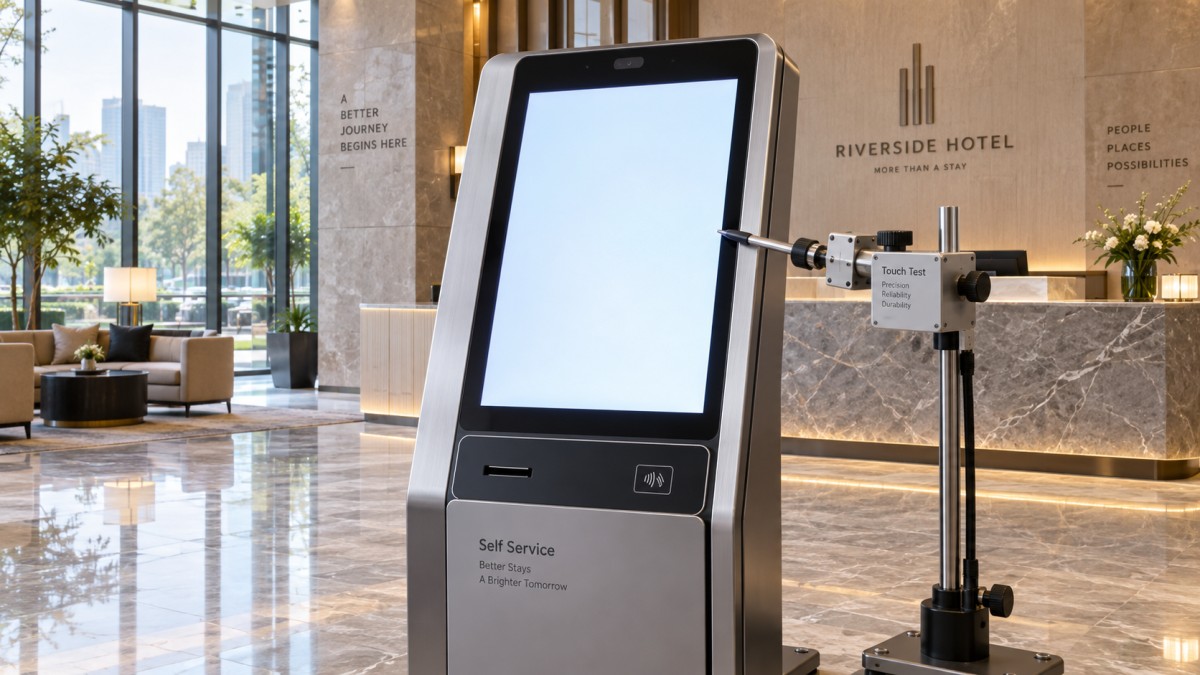
Test a grid covering the center, corners, and edges, then repeat the test using the actual booking interface. Include keyboard entry, scrolling, back navigation, and confirmation buttons. Record missed touches, unintended touches, positional errors, and response delays separately. A single overall “pass” hides too much.

The test configuration should reproduce production conditions: kiosk enclosure, power supply, cable routing, operating system, and connected peripherals. Electrical noise or poor grounding may cause behavior that never appeared on a supplier’s open-bench demonstration.
Water rejection, glove operation, and palm rejection require particular caution. Support depends on controller settings and the materials involved; it is not a universal capability of every capacitive screen. If these functions matter, specify the conditions and request a demonstration. Moisture handling should not replace a cleaning procedure that prevents guests from using a wet screen.
Finally, review button size and spacing. Touch precision is a hardware requirement, but forgiving interface design remains essential. Include accessibility considerations such as reachable controls, readable text, and usable viewing angles, with applicable obligations checked against the destination market.
Durability is a system property, not just tough glass
Public-use displays face luggage impacts, repeated wiping, accidental spills, and long operating periods. Scratch resistance, impact resistance, and chemical resistance are different properties. Hard cover glass does not establish that a coating will tolerate the hotel’s cleaning chemicals, or that the assembly will survive an impact near its mounting points.
Request written cleaning instructions covering approved chemicals, concentrations, application methods, and prohibited substances. Then compare them with housekeeping practice. If staff spray liquid directly onto the screen while the supplier requires application to a cloth, the purchasing decision has created an operational mismatch.
Ingress and impact claims need equally careful reading. IEC 60529 provides the IP classification framework, while IEC 62262 addresses IK impact classifications. Neither should be treated as a blanket guarantee. Verify the tested model, rating, mounting arrangement, and whether protection applies only to the front face or to the entire enclosure. A front-face ingress rating does not establish that rear connectors tolerate liquid.
Thermal performance is easy to overlook during sample approval. The display’s specified operating temperature must be compatible with conditions inside the kiosk, not just the lobby temperature. Nearby computing hardware, restricted airflow, and sunlight can raise internal temperatures. Check the assembled unit under sustained operation rather than relying only on component specifications.
Ask about permitted duty cycle and portrait operation where relevant. For interfaces with persistent logos or fixed controls, discuss image retention and mitigation for the proposed display technology. Backlight-life figures also need their stated conditions and end-of-life definition; they are not equivalent to a warranty for the whole unit.
Turn supplier claims into comparable evidence
A useful evaluation separates three things: what the datasheet claims, what supporting reports establish, and what the project sample demonstrates. TerraVista Metrics’ independent benchmarking approach is relevant here: engineering evidence should be translated into comparable procurement criteria, rather than allowing inconsistent terminology to decide the shortlist.
For each critical requirement, identify the evidence needed and the acceptance condition. Suppliers should answer against the same installation assumptions. Where a claim is essential to operation, an unsupported statement should remain an open risk rather than receive full evaluation credit.
- Model traceability: Confirm that reports cover the quoted display assembly, including glass, touch controller, and relevant enclosure configuration.
- Change control: Require notification of panel substitutions, controller changes, firmware revisions, and component discontinuation.
- Integration support: Verify display interfaces, touch drivers, operating-system compatibility, wake behavior, and recovery after power interruption.
- Market requirements: Confirm applicable safety, electromagnetic compatibility, and other local obligations for the finished kiosk—not only individual components.
Avoid confusing display integration with hotel-system integration. The screen does not establish compatibility with reservation software, payment workflows, or identity-verification services. Those require separate validation, even when the kiosk supplier bundles everything into one proposal.
Compare the cost of keeping it operational
Purchase price is only one part of ownership cost. Include installation, power use under realistic brightness settings, spare stock, maintenance labor, shipping for repairs, and the operational consequences of downtime. A lower-priced hotel kiosk display can become expensive if replacing it requires dismantling the enclosure or waiting for an overseas repair.
Ask suppliers to demonstrate the replacement procedure. Check rear access, fasteners, connector protection, and whether changing the touch assembly requires recalibration or software work. Warranty review should address exclusions, turnaround arrangements, replacement availability, and who pays transport—not merely the coverage period.
Repairability also supports a more credible sustainability decision. A replaceable display module may avoid scrapping an otherwise functional kiosk. Claims about environmental benefit should still be supported by product documentation and realistic service-life assumptions, rather than inferred from a material label alone.
Approve a production configuration, not a showroom sample
Before placing a fleet order, pilot the proposed configuration in representative lobby conditions. Define pass criteria in advance, including readability, touch behavior, cleaning compatibility, thermal operation, and recovery from interruptions. Involve operations and housekeeping alongside the integration team; they will encounter failures that a technical demonstration may miss.
Keep the approved hardware and firmware configuration on record, and link it to delivery inspection and substitution rules. The purchasing decision is defensible when brightness matches the location, touch performance survives real workflows, and durability claims hold under the hotel’s maintenance practices. Any unresolved condition should be clarified before it becomes a problem across every installed kiosk.
Recommended News
 Oct 24, 2026Using a Concierge Kiosk to Offer Multilingual Local RecommendationsUse a concierge kiosk to deliver multilingual local recommendations guests can trust. Discover practical tips for accurate listings, smart filters, and seamless QR directions.
 Oct 24, 2026Choosing a Hotel Kiosk Display: Brightness, Touch Accuracy, and DurabilityChoose the right hotel kiosk display with expert guidance on brightness, touch accuracy, and durability. Discover what to test to improve guest experiences and reduce maintenance costs.
 Oct 23, 2026Keeping Hotel Information Kiosks Accurate When Guest Services ChangeKeep hotels information kiosk content accurate as services change. Discover practical workflows, screen checks, and multilingual tips to reduce confusion and improve guest service.
 Oct 23, 2026Self-Service Kiosks vs. Staffed Check-In: Which Fits Your Hotel?Considering a kiosk in hospitality sector operations? Compare self-service and staffed hotel check-in, costs, integration, and guest experience to find the right fit for your property.
 Aug 04, 2026What Tourism Hardware Does a Visitor Center Need for Better Wayfinding and Service?Tourism hardware for visitor centers: discover the essential signs, kiosks, counters, and queue systems that improve wayfinding, service efficiency, accessibility, and visitor experience.
 Jul 14, 2026West Coast Port Strain Extends Kiosk Tech Sea Lead TimesWest Coast port strain is extending Kiosk Tech sea lead times to 48 days, raising PSS and delivery risk. See what exporters, buyers, and service teams must do now.
 Jul 12, 2026US West Coast Strike Extends Kiosk Tech Lead TimesUS West Coast Strike Extends Kiosk Tech Lead Times—learn how port disruption, Red Sea rerouting, and Mexico diversion are reshaping Q3 inventory, routing, and delivery planning.
 Jul 12, 2026How to Compare Cost Effective Slide Systems for Kiosks, Cabinets, and Compact EquipmentCost effective slide systems compared for kiosks, cabinets, and compact equipment. Learn how to evaluate load, cycle life, fit, and maintenance for smarter sourcing.
 Jul 10, 2026GCC Rule Adds Local Privacy Sandbox to Facial Recognition KiosksGCC rule updates put facial recognition kiosks under tighter compliance from July 10, 2026. Learn how local privacy sandbox firmware, GSO reports, and longer lead times affect GCC market access.
 Jul 09, 2026Singapore Tightens Kiosk Imports for Facial RecognitionSingapore Tightens Kiosk Imports for Facial Recognition: learn the new PSB rules, firmware SDK, and local data caching requirements before August 1, 2026.
 Jul 08, 2026ISPO Munich Adds Smart Wayfinding Pavilion as EU-US Interest Jumps 67%ISPO Munich spotlights smart wayfinding as EU-US interest jumps 67%. Explore AR navigation, multilingual kiosks, and offline maps shaping outdoor venue projects.
 Jul 07, 2026ISPO 2026 Kiosk Zone Signals New Buying RulesISPO 2026 Kiosk Zone signals new buying rules for smart wayfinding terminals, highlighting EN 301 549 compliance, localized CMS needs, and rising EU buyer demand.
![]() Jul 06, 2026ISPO Adds Kiosk Tech as China Draws Buyer InterestISPO adds Kiosk Tech as China draws buyer interest, signaling rising demand for IP65 outdoor kiosk terminals, offline OTA maps, and multilingual guidance solutions for parks, resorts, and ski areas.
 Jul 06, 2026Resort Self Check-In Kiosks: Best Use Cases, Guest Flow Risks, and Setup TipsResort self check in kiosks explained: discover the best use cases, common guest flow risks, and practical setup tips to reduce queues and improve resort arrivals.
 Jul 05, 2026ISPO Munich 2026 Adds Kiosk Tech Zone as Chinese Outdoor Terminals Draw OrdersISPO Munich 2026 spotlights kiosk tech as Chinese outdoor terminals win 1,240 orders. Explore how smart wayfinding, AR navigation, and solar-powered kiosks are reshaping parks and resorts.
 Jul 04, 2026ISPO Opens Kiosk Tech Zone as China Devices Draw BuyersISPO Opens Kiosk Tech Zone as China devices draw buyers, highlighting demand for smart guide terminals with offline maps, AR, and LoRaWAN/NB-IoT—see what suppliers and buyers should prepare now.
 Jul 03, 2026ISPO Munich 2026 Debuts Kiosk Tech ZoneISPO Munich 2026 debuts Kiosk Tech Zone, spotlighting smart wayfinding kiosks for ski resorts. Explore buyer demand for IP65+, -30°C performance, AR navigation, and offline maps.
 Jul 02, 2026ISPO Adds Kiosk Tech Zone as China Suppliers Draw OrdersISPO adds Kiosk Tech Zone as China suppliers win orders for smart wayfinding kiosks. Explore how IP66, solar charging, offline maps, and rising MOQs are reshaping procurement.
 Jul 01, 2026ISPO Munich 2026 Adds Kiosk Tech as Chinese Guide Terminals Draw BuyersISPO Munich 2026 spotlights Kiosk Tech as Chinese guide terminals attract buyers with multilingual AR navigation and offline maps. Explore the 210% order surge, delivery timelines, and GDPR-ready deployment trends.
 Jul 01, 2026Kiosk Technology for Guest Services: Which Features Improve Check-In and Self-ServiceKiosk technology for guest services: discover which features improve check-in, self-service speed, system integration, and guest satisfaction across hotels, resorts, and attractions.
 Jun 30, 2026SASO Opens 72-Hour Fast Track for Kiosk TechSASO Opens 72-Hour Fast Track for Kiosk Tech: learn how Saudi local cloud hosting, ISO/IEC 27001:2022, and FastTrack-3 can cut approval time and speed market entry.
 Jun 29, 2026Saudi SASO Tightens Kiosk Cloud Hosting RulesSaudi SASO Tightens Kiosk Cloud Hosting Rules: learn how the 2026 SABER update affects smart kiosk compliance, local cloud hosting, certification, and Saudi market entry.
 Jun 25, 2026Tongcheng Links to WeChat AI Ecosystem for Kiosk ExpansionTongcheng Links to WeChat AI Ecosystem for Kiosk Expansion: explore how multilingual voice, AR wayfinding, and offline facial verification could reshape airport kiosks and cross-border travel tech.
 Jun 12, 2026China Ticketing Probe Raises Kiosk Compliance FocusChina Ticketing Probe raises urgent Kiosk Tech compliance questions for RV Components suppliers, from biometric data controls to GDPR and China PIPL readiness across global deployments.
{item.publish_time}{item.title}{item.description}Quarterly Executive Summaries Delivered Directly.
Join 50,000+ industry leaders who receive our proprietary market analysis and policy outlooks before they hit the public library.